

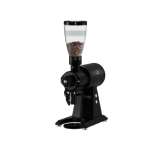

Macap MI40 Touch Burr Coffee Grinder Features
|
|
Time to read 9 min
Your Cart
Your cart
Favorites





Shop by Brands

Shop by Brands
Shop by Brands


Shop by Brands


Shop by Brands
Shop by Brands

|
|
Time to read 9 min
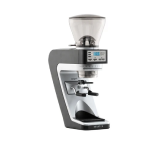
Choosing the right grinder can feel like choosing performance tires, many look alike, but the way they handle speed, grip, and daily use changes your entire experience. The MI40 Touch stands out because it blends café-ready power with a user-friendly touchscreen and a workflow that feels intuitive during busy hours. Small details like dose responsiveness, collar movement, and on-screen menus can make service feel smoother and more predictable.
Think of it like tuning a musical instrument: even minor adjustments shape the final output. With that in mind, let’s explore what makes this grinder worth understanding.
65mm flat burrs deliver fast, consistent espresso grinding.
3.5" touchscreen and HMI controls simplify multi-barista operation.
Stepless adjustment with zero-point calibration improves dialing-in accuracy.
Programmable dosing and hands-free support streamline café workflow.
Cooling vents and a stable 480W motor help maintain consistent performance during long sessions.
Many baristas look at the MI40 Touch and wonder how a grinder with a compact body can handle steady café flow without slowing the bar down. If you’ve ever worked back-to-back shots during a rush, you know even a small delay can throw off your rhythm. This section breaks down what actually shapes the MI40 Touch experience, the parts you interact with daily, and the features that stand out during real service.

Here are the features you get with the MI40 Touch, explained in a way that helps you understand how they affect everyday use:
Larger burr surface area: Improves grinding efficiency and consistency during back-to-back shots.
Stable grind action: Supports steady shot flow during café-style routines.
Performance-focused size: 65mm is commonly used in setups built for ongoing service.
Clear visual layout: Makes dose changes and menu navigation straightforward.
Quick adjustments: Quick-access menus allow baristas to change doses or modes without interrupting service flow.
Responsive screen: Helps avoid delays when changing between drinks.
Standard mode: Works well for routine double-shot prep.
Push and Grind mode: Good for fast-paced moments when you need a quick trigger.
Barista hands-free option: Holds the portafilter so you can multitask during rush hours.
Fine movement: Lets you make small grind changes when dialing in a new coffee.
Defined zero point: Helps you better understand where your grind range starts.
Smooth adjustment wheel: Simple to rotate even when switching between recipes.
Stable holding position: Keeps the portafilter from shaking as the grinder runs.
Metal build: Designed to manage repeated locking in and out.
Hands-free grind option: Lets you switch tasks while the dose fills.
Room for larger batches: Helps when serving multiple drinks back-to-back.
Reliable speed: Maintains momentum during busy hours.
Supports longer sessions: Useful for cafés that run steady traffic.
Airflow support: Helps the grinder stay stable during repeated dosing.
Built for long sessions: Useful during extended service hours.
Internal circulation: Designed to manage heat while grinding continuously.
Multiple presets: Helps you switch between drinks without re-adjusting each time.
Quick recall buttons: Saves time in multi-barista environments.
Helps standard recipes: Useful when you follow a fixed menu or house blend routine.
Also Read: Best Espresso Tamper for Perfect Coffee
After exploring the key features, here’s a closer look at the performance highlights of the MI40 Touch grinder review in action.
Many baristas look at a grinder and judge it by speed alone, but the MI40 Touch shows that performance is more about how each part works together during service. If you’ve ever tried keeping up during a busy hour, you know the difference between a grinder that slows you down and one that moves with you.

The MI40 Touch focuses on features that support steady output without making the workflow complicated. Here are the performance points that matter most during actual use:
Here are the performance-focused highlights you get on the MI40 Touch:
Strong motor build: The 480W motor supports steady output even during long sessions.
Fast dose rate: With a capacity of about 2.6 to 3.3 g per second, it helps reduce waiting time between drinks.
Suitable for high-traffic periods: Maintains a consistent grinding pace even during rush hours.
Internal airflow: Helps the grinder stay stable during repetitive grinding.
Heat circulation: Ventilation design helps manage heat during repeated grinding cycles, supporting reliable performance in longer sessions.
Supports continuous use: Helpful for cafés that run multiple shifts.
Clear 3.5-inch display: Easy to read during active workflows.
Quick menu movement: Reduces lag when switching between doses.
Smart HMI layout: Helps baristas make changes without stopping the line.
Programmable presets: Helps maintain the output you set for different drinks.
Stable electronic dosing: Reduces the need for constant readjustment.
Useful for fixed menu setups: Great when cafés follow a set list of drinks.
Internal pathing: Designed to help reduce leftover grounds between doses.
Smooth internal build: Useful when switching between beans.
Supports steady workflow: Helps keep the grind path cleaner over time.
Controlled motor sound: Quieter than many high-speed grinders in its class.
Anti-vibration fork: Helps reduce movement while grinding.
Better for small cafés: Useful when working close to customers.
Looking to upgrade your café workflow and serve better espresso with less effort? The MI40 Touch Lux at Pro Coffee Gear combines a powerful 65mm burr system with intuitive touchscreen controls, helping you grind efficiently and maintain smooth service during every busy shift.
After examining its performance features, let’s explore the real-world benefits of the MI40 Touch grinder review for everyday use.
Anyone reading a 65mm burr grinder review usually wants to know one thing: how does it actually help during daily service? A grinder can look great on a product page, but its true value shows during rush hours, bean changes, or when multiple baristas rotate through a shift.

The MI40 Touch is built to support those practical moments where speed, clarity, and workflow make all the difference. Whether you run a busy counter or brew multiple blends at home, its design removes small bottlenecks that usually slow things down.
Here are the benefits that genuinely matter during practical, day-to-day use with the MI40 Touch:
Steady workflow during rush hours: The touchscreen, burr size, and motor strength come together to support back-to-back grinding without feeling slowed down.
Smoother team coordination: Clear menus and modes make handovers easier when multiple people use the grinder across shifts.
Better handling of specialty beans: Adapts smoothly to a range of roast profiles, especially lighter roasts that require finer precision.
Fewer interruptions: The high hopper capacity and wide output range reduce the number of times you need to stop and refill.
Support for multi-drink menus: Programmable doses let you handle americanos, cappuccinos, and double shots without constant dial changes.
Useful for training new staff: The UI and adjustment design shorten the learning curve, which reduces errors during early training days.
Also Read: Understanding Espresso Machine Parts and Functions
With its practical benefits in mind, here are some tips to get the best results from the MI40 Touch grinder review.
A grinder like the MI40 Touch can do a lot, but the way you set it up and use its features can make your daily workflow smoother and more predictable. Many baristas find that small habits, like how they manage beans or switch modes, help them get more from the machine.
If you’re checking a mi40 touch grinder review to see how to use it effectively, it’s helpful to understand how its design supports different working styles. Think of it like setting up your station so it supports your pace instead of slowing it down.
Here are some helpful pointers to get smoother performance and easier operation from the MI40 Touch:
Use the modes wisely: Standard mode is great for slower sessions, while Push and Grind or Hands-Free work best during busy hours where you need to multitask.
Keep a stable zero-point reference: Using the zero calibration helps you return to your preferred setup when switching beans or adjusting for roast levels.
Pair the hopper size with your workflow: The 2.6-pound hopper can hold enough for long service, so you don’t need frequent refills.
Use dose presets for your full menu: If you serve different sizes, assign separate doses so staff don’t need to guess or adjust mid-shift.
Let the cooling system support long cycles: The internal airflow helps the motor stay steady, making it useful during extended grinding sessions.
Work with hands-free grinding when prepping drinks: The anti-vibration fork keeps the portafilter steady, helping you prepare the next step in your workflow.
Along with usage tips, it’s important to be aware of common issues and solutions highlighted in the MI40 Touch grinder review.
Even the best grinders come with quirks that show up during everyday use, and the MI40 Touch is no exception. If you’re reading a Mi40 touch grinder review to understand the full picture, knowing these common situations helps you prepare before they interrupt your workflow.
Many of these moments happen when switching beans, adjusting doses, or grinding for long periods, and they’re easy to smooth out once you know what to look for.
Here are the most common issues users may face on the MI40 Touch and how they’re typically handled:
Common Issues
Retention during fine grinding: Some users notice small amounts of coffee staying near the chute, especially when working with very fine settings.
Slight motor strain with dense beans: Dense light roasts may produce a slightly heavier motor tone during extended grinding, normal for grinders of this size.
Burr alignment shifts after deep cleaning: Opening the grinder for a thorough clean can sometimes cause a minor alignment shift if not reassembled carefully.
Touchscreen sensitivity changes: Keep the touchscreen dry during service to maintain responsiveness.
Solutions
Clear the chute during roast changes: A short purge helps remove leftover grounds and keeps flavors cleaner between batches.
Let the grinder rest briefly after long cycles: Short pauses support smoother motor performance when grinding dense beans.
Recheck the zero-point after cleaning: This ensures burr alignment goes back to your preferred baseline without guesswork.
Wipe the display regularly: Oils from beans or steam from the bar can make the touchscreen feel different, and a simple wipe usually fixes it.
Buyer Questions to Consider
Do you often switch between blends? If yes, the zero-point control helps you jump back to your preferred setup quickly.
Is your café workflow fast-paced? Hands-free and Push and Grind modes make service smoother when multiple drinks stack up.
Do you use lighter roasts regularly? The 65mm burrs and stepless dial help handle tighter grind settings without feeling restricted.
Does your team rotate between multiple baristas? The touchscreen layout reduces confusion for new staff learning the workflow.
Will you grind continuously for long periods? The internal airflow design helps the grinder stay stable during extended sessions.
After reviewing common issues and buyer considerations, here’s the final take on the MI40 Touch grinder review.
The MI40 Touch is ideal for baristas and café owners who want consistent espresso grinding without adding complexity to their workflow. Its touchscreen controls, 65mm burrs, and stepless adjustment system streamline daily operation, whether you’re running a busy bar or dialing in a new single-origin.
With its balance of speed, stability, and user-friendly design, the MI40 Touch fits naturally into both professional and advanced home setups. For tools, accessories, and parts that support professional coffee workflows, Pro Coffee Gear offers a curated collection built for durability and performance.
If you’re considering upgrading your station, exploring the MI40 Touch further can help you understand how it supports your daily pace and brewing style.
The MI40 Touch typically produces around 2.6 to 3.3 grams per second, depending on grind size and bean type. This helps users understand how it performs during busy hours. It’s useful for cafes planning workflow timing.
Yes, darker roasts move smoothly through the burrs and require fewer adjustments on the dial. The stepless control helps you find your preferred setting quickly. Many baristas appreciate how stable it feels with medium and dark profiles.
The touchscreen interface and clearly labeled modes make the grinder beginner-friendly. New users pick up the workflow quickly without needing complex training. It’s designed so staff can adapt fast during daily shifts.
Home baristas who want café-level performance often find the MI40 Touch very capable. Its grind modes and burr size support a wide range of espresso styles. It also fits well in home setups thanks to its compact footprint.
Yes, the MI40 Touch handles single-origin beans smoothly, especially lighter ones that require finer settings. The zero-point calibration helps you maintain your reference point. This makes switching between profiles easier.
Our team can help you find the best fit based on your space, volume, and budget.
Talk to a Specialist

